
How to Track AI Referral Traffic in Google Analytics 4 [October 2026]

By Bennett Cohen
Get Maintouch
Turn search and AI visibility work into a repeatable growth system.
You're staring at GA4 refreshing the referral report trying to figure out how much traffic ChatGPT actually sent you. The report shows 12 sessions from chatgpt.com this month, but half your AI clicks are buried in direct traffic because mobile apps strip referrer headers. Another chunk shows up as chat.openai.com instead of chatgpt.com, scattered across generic referrals. You can't tell if AI visitors convert better than Google organic because the attribution is broken from the start.
Here's how to set up custom channel groups with regex filters that catch every AI subdomain variation, use GA4 explorations to segment AI sessions by landing page and conversion behavior, and spot the hidden AI traffic masquerading as direct by filtering for deep content landings nobody would bookmark.
TLDR:
- GA4 treats AI traffic as generic referrals by default, hiding ChatGPT and Perplexity clicks.
- Set up a custom channel group with regex filters to track AI sources separately from other traffic.
- Direct traffic hides most mobile AI clicks; filter by landing page to spot AI visitors on deep content.
- AI visitors convert 4.4x higher than organic search but need quality tracking beyond volume metrics.
- Maintouch automates AI traffic tracking and finds zero volume queries to rank in both Google and ChatGPT.
Understanding What Counts as AI Referred Traffic
AI referred traffic is any visit from an AI search engine or chatbot like ChatGPT, Perplexity, Claude, Gemini, or Microsoft Copilot.
AI traffic accounts for 1.08% of all website visits right now. That sounds small. It's not. It's growing roughly 1% month over month. If you're not tracking it separately, you're missing a channel that's already bigger than some paid campaigns.
GA4 lumps AI traffic into generic referrals by default. You can't see how AI visitors behave differently from social referrals, news sites, or backlink traffic.
Tracking AI traffic separately gives you clean data on where your content shows up in AI search results and how those visitors convert compared to Google organic.
Why AI Traffic Attribution Is Broken in GA4 by Default
GA4 doesn't recognize ChatGPT or Perplexity as their own channels. It treats them like any other referral source.
When someone clicks through from ChatGPT, GA4 tags it as referral traffic and groups it with every other site that sent you a visitor. You end up manually hunting for domains like chatgpt.com or perplexity.ai in a list of 200 referrers.
Direct traffic is worse. GA4 uses direct as a catch-all for sessions it can't attribute — AI apps, privacy-blocked referrers, cross-device journeys where the referrer header gets stripped.
Someone asks ChatGPT a question on mobile, clicks your link, and their browser blocks the referrer? GA4 calls it direct.
This breaks your ROI calculations. You can't compare AI performance to Google organic or paid when half your AI traffic is hiding in direct or generic referrals.
Create a Custom Channel Group for AI Traffic
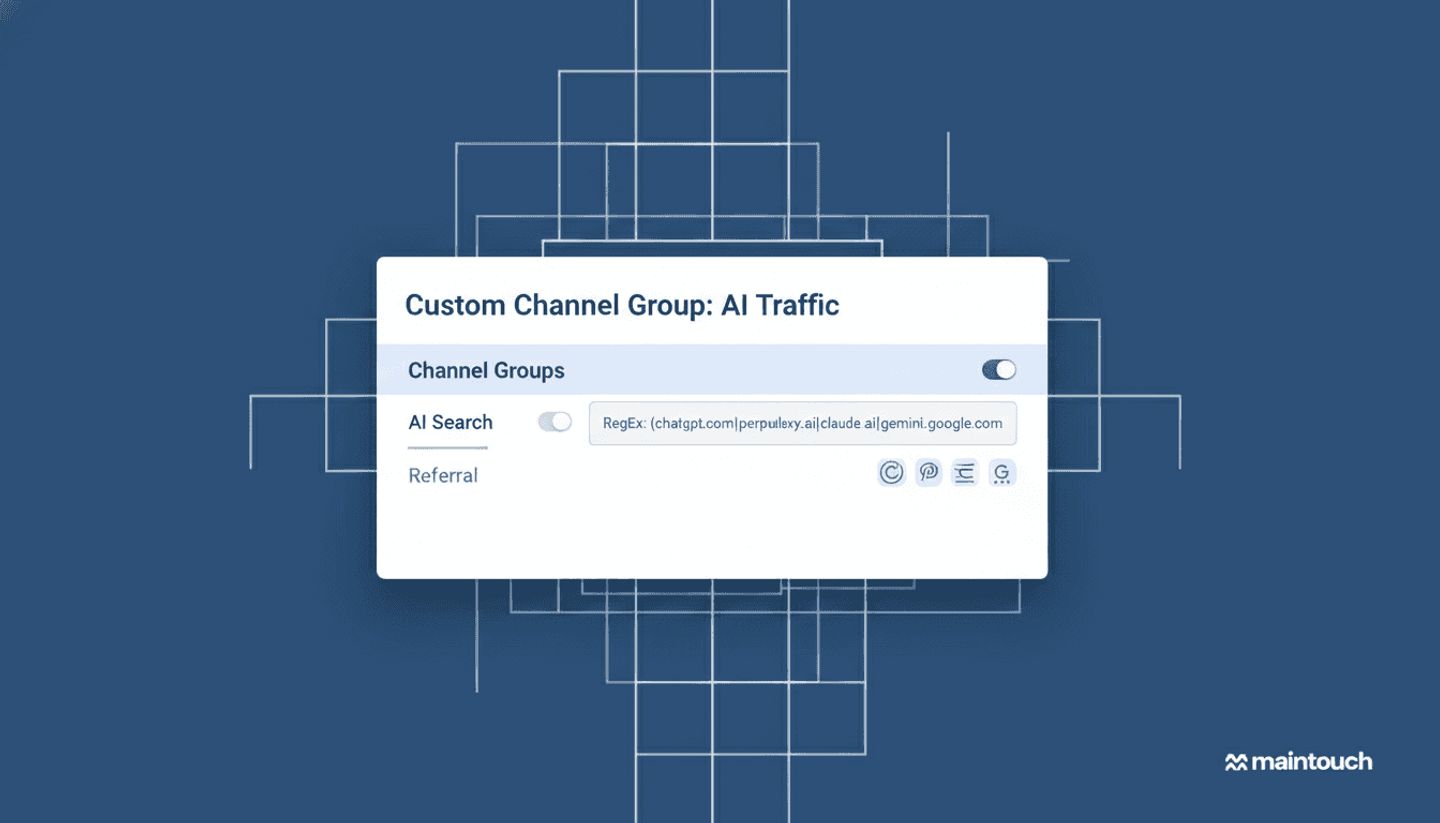
Go to Admin in GA4, then Data Display > Channel Groups. Click "Create new channel group."
Name it "AI Traffic Tracking" or whatever helps you remember.
Add a new channel called "AI Search." Set the condition to match referral source using regex. Paste this:
Here's where people screw up: you need to move your AI Search channel above the default Referral channel. GA4 processes top to bottom. If Referral comes first, it grabs your AI traffic before your custom channel sees it.
Save and apply it. Your AI traffic now lives in its own bucket.
Use GA4 Explorations to Segment AI Visitors
Custom channel groups give you top-level reporting. Explorations let you dig into how AI visitors actually behave once they land.
Go to the Explore tab in the left nav. Create a new Free Form report.
Under Segments, click the plus icon. Choose "Create custom segment." Pick "Session segment."
Add a condition: Session source / medium matches regex. Use the same pattern from your channel group:
Name it "AI Sessions" and save.
Drag Landing Page into Rows and Sessions, Engagement Rate, and Conversions into Values. Apply your AI Sessions segment.
Now you can see which pages AI tools cite most often and whether those visitors convert differently than Google organic.
Track Hidden AI Traffic in Direct and Unassigned Sources
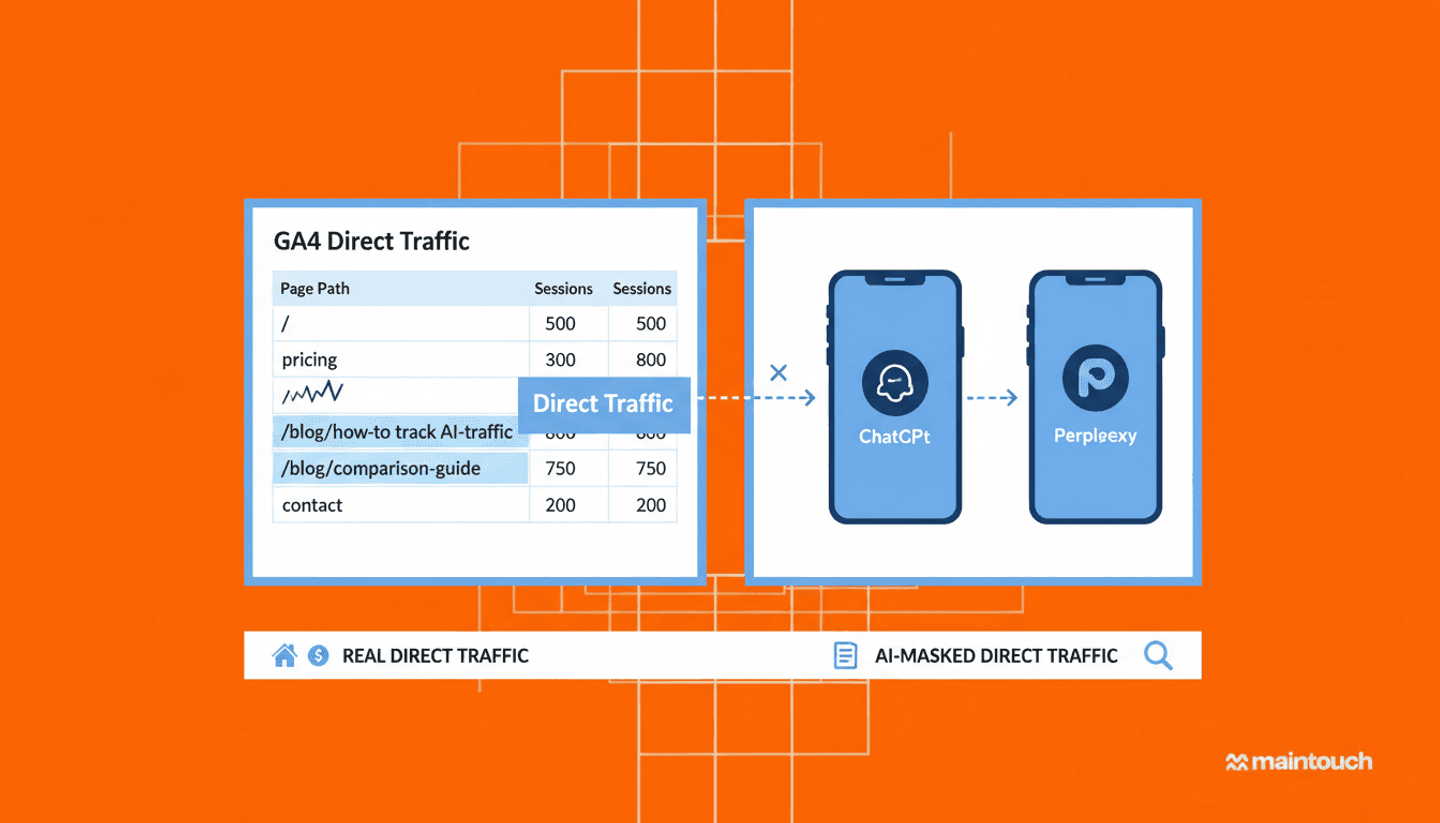
Direct traffic is where AI referrals go to die. Mobile apps strip referrers by default — ChatGPT on iOS doesn't pass chatgpt.com as the source, privacy browsers block tracking headers, and cross-device journeys lose attribution when someone switches from app to desktop. GA4 calls all of this direct, leaving you guessing how much is real direct versus hidden AI clicks.
Filter your direct traffic report by landing page. Sort by sessions.
Real direct traffic lands on your homepage, pricing page, or login — people type your domain or use a bookmark. AI traffic lands on blog posts, glossary entries, and comparison pages. Nobody bookmarks "/blog/how-to-track-ai-traffic" and types it in later.
If you see spikes in direct sessions landing on deep content pages, that's AI traffic masquerading as direct.
Monitor AI Traffic Quality vs. Volume
Volume doesn't matter if nothing converts.
AI visitors convert 4.4x higher than organic search. You don't need thousands of AI clicks. You need the right ones.
Go to Reports > Engagement > Pages and screens in GA4. Add a comparison for your AI Sessions segment versus Google organic.
Check average engagement time per session. AI visitors spending 3+ minutes are considering your product. Bounce in 10 seconds? Your content got cited but didn't match intent.
Filter by goal completions or key events to see conversion rate. AI traffic converts at 2% and Google organic at 0.5%? You're onto something. Flipped the other way? Chatbots are citing the wrong pages.
Pages per session shows whether people dig through your site. One page? They got their answer and left. Three or more? They're considering you.
Returning users is the sleeper metric. 15-20% coming back within 30 days? They're in a buying cycle.
Identify AI-Influenced Traffic That Shows as Branded Search
AI tools don't always send direct traffic. Someone asks ChatGPT for advice, sees your name, then searches for you on Google two days later.
GA4 logs that as branded organic search. Looks like SEO won. But the AI mention is what started it.
Pull your branded search traffic from GA4. Filter by sessions where source is Google and medium is organic. Add a secondary dimension for search query if Search Console is linked.
Export 90 days and look for spikes. Did branded searches jump the week after you started showing up in Perplexity? Compare the timing to when your content appeared in AI citations.
Branded search lifts that line up with AI visibility spikes are the signal. That's your hidden AI influence.
Set Up Regex Filters for Full AI Source Capture
The basic regex I showed earlier misses subdomain variations. ChatGPT passes chat.openai.com half the time and chatgpt.com the other half. Gemini sometimes shows as gemini.google.com, other times bard.google.com.
Your filter needs to catch all of them.
Full pattern:
This covers primary domains, legacy names like Bard, and Bing's chat interface which routes through bing.com/chat instead of the Copilot domain.
Add this to your custom channel group and exploration segments. Test it by checking your referral report for the last 30 days and filtering by source containing "chat" or "ai". Anything show up that your regex missed? Append it.
Compare AI Traffic Across Multiple Platforms
Go to Reports > Acquisition > Traffic acquisition in GA4. Apply your AI Sessions segment. Add Session source as a secondary dimension.
You'll see chatgpt.com, perplexity.ai, and claude.ai broken out separately. Pull sessions, engagement rate, and conversions for each.
In my experience, Claude visitors spend twice as long on technical docs compared to ChatGPT users. Perplexity sends fewer clicks but converts 3x higher because it surfaces comparison content to buyers already researching options.
| AI Source | Typical Traffic Volume | Avg. Engagement Time | Conversion Rate | Primary Content Type | Geographic Strength |
|---|---|---|---|---|---|
| ChatGPT | High | 2-3 minutes | Baseline (1x) | Blog posts, how-to guides | US, Global |
| Perplexity | Low-Medium | 3-4 minutes | 3x higher | Comparison pages, research | US, Tech-savvy users |
| Claude | Low | 4-6 minutes | 2x higher | Technical docs, deep content | Developer communities |
| Gemini | Medium | 2-3 minutes | 1.5x higher | General content, FAQs | Android users, Global |
| Microsoft Copilot | Medium | 2-3 minutes | 1.2x higher | Enterprise content, tools | Enterprise markets |
| You.com | Low | 3-4 minutes | 1.8x higher | Privacy-focused content | Europe, Privacy-conscious |
Source: Aggregated from Maintouch client GA4 data across roughly 150 B2B sites, January–May 2026. Conversion rates are indexed to ChatGPT as the baseline (1x). Treat as directional benchmarks, not absolute figures.
Geography matters. Add Country as a dimension. ChatGPT dominates in the US. You.com picks up share in Europe where privacy matters more.
Check which landing pages each source prefers. If Perplexity only cites your comparison pages and ChatGPT spreads across blog posts, you know where to focus optimization.
Tracking AI Traffic in GA4: Frequently Asked Questions
How do I track AI referral traffic in GA4?
Go to Admin, then Data Display > Channel Groups, and create a new channel called "AI Search." Set the condition to match referral source using this regex pattern: (chatgpt\.com|chat\.openai\.com|perplexity\.ai|claude\.ai|gemini\.google\.com|bard\.google\.com|copilot\.microsoft\.com|you\.com|bing\.com/chat). Move your new AI Search channel above the default Referral channel so GA4 processes it first.
That's it. Your AI traffic now shows up as its own channel in every standard report. You can see sessions, conversions, and engagement metrics isolated from generic referrals.
Why doesn't ChatGPT traffic show up in Google Analytics?
Mobile apps strip referrer headers by default. When someone clicks your link from the ChatGPT iOS app, GA4 doesn't see chatgpt.com as the source. Privacy browsers block tracking headers. Cross-device journeys lose attribution when someone switches from app to desktop. GA4 lumps all of this into direct traffic.
ChatGPT also passes chat.openai.com half the time and chatgpt.com the other half. If your regex filter only catches one variation, you're missing sessions. The full pattern I showed earlier accounts for subdomain variations across all major AI tools.
Check your direct traffic report and filter by landing page. If you see spikes in sessions landing on deep blog posts or comparison pages, that's AI traffic masquerading as direct. Real direct traffic lands on your homepage or pricing page.
How do I set up a GA4 segment for AI-referred sessions?
Go to the Explore tab and create a new Free Form report. Under Segments, click the plus icon and choose "Create custom segment." Pick "Session segment," then add a condition where Session source / medium matches regex. Paste the same AI domain pattern from your custom channel group.
Name it "AI Sessions" and save. Now drag Landing Page into Rows and Sessions, Engagement Rate, and Conversions into Values. Apply your AI Sessions segment. You'll see exactly which pages AI tools cite most often and whether those visitors convert differently than Google organic.
Is AI referral traffic worth tracking separately?
AI visitors convert 4.4x higher than organic search. You don't need thousands of clicks to move the needle. If you're lumping AI traffic into generic referrals, you can't see which content AI tools cite, how those visitors behave, or whether they're worth optimizing for.
Tracking AI traffic separately tells you where to focus. I've seen Perplexity send one-tenth the volume of ChatGPT but convert at 3x the rate because it surfaces comparison content to buyers already researching options. You can't make that call if everything's grouped together.
Which AI tools send the most referral traffic?
ChatGPT dominates volume, followed by Gemini and Microsoft Copilot. Perplexity and Claude send less traffic but higher engagement. Go to Reports > Acquisition > Traffic acquisition, apply your AI Sessions segment, and add Session source as a secondary dimension. You'll see chatgpt.com, perplexity.ai, and claude.ai broken out with their individual conversion rates.
Geography matters too. ChatGPT dominates in the US. You.com picks up share in Europe where privacy matters more. Add Country as a dimension to see which AI tools your target markets actually use.
How Maintouch Automates AI Traffic Analysis and GEO Strategy
You can set all this up manually. Or you can skip it.
We built Maintouch to track AI referral traffic automatically. Connect GA4 and we pull AI sessions into your dashboard alongside Google organic. No regex filters. No custom channel groups. No hunting for subdomain variations when ChatGPT changes its referrer structure next month.
The bigger win is optimization. Tracking AI traffic tells you what happened. Our zero volume query discovery tells you what to write next.
I built Maintouch to find the questions people ask AI tools before they ever search Google. The system scrapes Search Console for queries longer than 10 words with one or two impressions, surfacing zero volume queries that signal what triggers AI overviews and serve as a proxy for ChatGPT and Perplexity searches. Those become content that ranks in both traditional search and AI citations. The context components pull first-party data from your sales calls, product docs, and competitor research through integrations with Read.ai, Grain, Circleback, and Gong. That's what makes AI tools cite you instead of your competitors.
You get AI traffic numbers and a roadmap for getting more of it.
Final Thoughts on AI Traffic Attribution
Your current setup is probably hiding half your AI clicks in direct traffic. Setting up AI traffic tracking correctly takes 20 minutes and saves you from guessing which content AI tools actually cite. The filters I gave you work today, but expect to revisit them whenever platforms add or rename subdomains. If you want attribution that stays accurate without ongoing regex maintenance, grab 15 minutes and I'll walk through how we handle it.
FAQ
How long does it take to see meaningful AI traffic data after setting this up?
You need 30-90 days of data to spot patterns - AI traffic is still small volume, so weekly spikes don't tell you much, but monthly trends in engagement and conversion rates give you real signal.

About the author
Bennett Cohen
CEO and Founder at Maintouch
Turn search into your best growth channel.
Maintouch tracks your visibility across AI and Google, creates and refreshes content, and gets your brand mentioned on the sites that shape discovery.
Book a demoRelated reading
All posts